
Compare websites at a glance
All your tracked sites side by side, with SERP metrics and movement for each — a portfolio scan in seconds.
Check a domain’s Google keyword positions, ranking pages, and competitors. Follow keyword movement across supported markets, free, without connecting a Google account.
Enter your domain or a competitor’s, sign in to your free Semalt account, then choose an available Google market and reporting dates. No Google connection or site verification is required.
View a sample report without signing in, or read the comparison guide.
Compare keyword positions and ranking URLs between report dates. TOP 1, TOP 3, and TOP 10 counts help you follow changes across the keywords available for your domain.
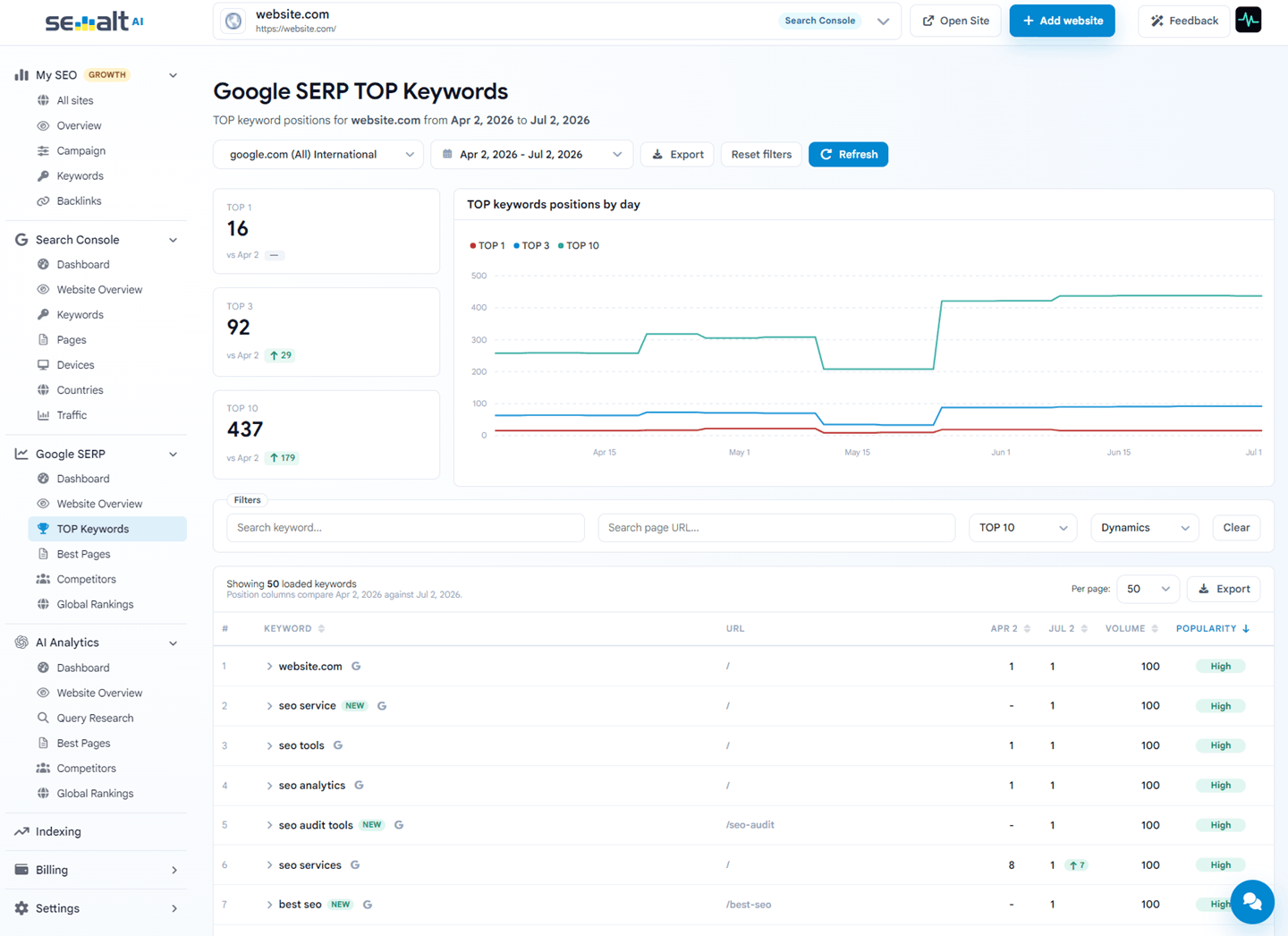
Interface preview and sample report use fictional data to illustrate the available fields.
Try a ranking comparison for a fictional running shoe store. Filter rising, falling, new, and missing keywords using the same fields available in your reports.
8 of 8 sample keywords
| Keyword | Ranking page | 1 Jun | 15 Jun | Change |
|---|---|---|---|---|
| best running shoes | /running-shoes | 9 | 4 | Up 5 |
| trail running shoes | /running-shoes | 2 | 6 | Down 4 |
| lightweight running shoes | /running-shoes | — | 8 | New for page |
| marathon running shoes | /running-shoes | 7 | — | Missing for page |
| running shoes for beginners | /running-shoes | 5 | 5 | Unchanged |
| cushioned running shoes | /running-shoes | 6 | 6 | Unchanged |
| road running shoes | /running-shoes | 3 | 3 | Unchanged |
| running shoes size guide | /running-shoes | 10 | 10 | Unchanged |
All domains, queries, positions, and dates in this demo are fictional. It illustrates a page-level comparison: new and missing refer to rows in the selected snapshots, not confirmed changes in Google indexing.
Use the reports to decide which pages need work and which competitors to examine next.
All your tracked sites side by side, with SERP metrics and movement for each — a portfolio scan in seconds.
Keywords, pages, global ranking, and average position for one site — plus what moved since yesterday.
Filter the available keywords by position to find queries close to the TOP 10, then open the ranking page to plan improvements.
The pages that win rankings, and the exact keywords each page ranks for.
Who shares your SERPs, how many keywords they hold, and their daily trend — one click opens their full list.
Compare the domain’s overall ranking with other websites in the dataset. This is a Semalt index metric, separate from a keyword’s position in Google.
Compare available snapshots to find gained, lost, rising, and falling keywords. Review the affected pages before deciding what to change.
Keep the same domain and Google market when comparing two dates. Use the ranking URL to connect each change to the page you can improve.
See the dashboard screenshot and filter locations, or try the sample comparison above. Use Search Console Analytics when you also need Google clicks and impressions.
Compare your website’s rankingsBecause Semalt tracks any domain, competitor research isn't a separate tool — it's the same tracker pointed at their site. See who shares your results, which keywords they hold, and where they're gaining.
Search Console tells you how Google treats your verified sites. SERP tracking shows the battlefield itself — for any site. Semalt gives you both, free.
 Search Console
The tracker looks up a domain in Semalt’s keyword index. Choose from the available Google markets in your dashboard; coverage and reporting history vary by market.
The report shows keywords available in the selected dataset, rather than every possible Google search. An absent keyword or domain does not prove that it has no Google rankings. Use Search Console analytics for query impressions reported by Google for your own verified properties.
Reports use available stored snapshots. A date without a new snapshot can show the nearest earlier data, so an unchanged position does not necessarily mean a fresh check returned the same result that day.
Yes. SERP analytics is a free part of the Semalt platform — no trial, no credit card, no feature gates. We earn on optional AutoSEO and FullSEO campaigns, not on your analytics.
No Google account or ownership verification is needed. Sign in to a free Semalt account and add a domain to explore its available keyword and ranking data.
Absolutely — that's the point. Rankings are public. Track competitors, prospects, or clients side by side with your own sites and compare their keyword footprints in the same views.
You can follow rankings on google.com internationally and on local Google markets. Switch the market in one selector and every view — keywords, pages, competitors — updates to that region.
The reports use stored ranking snapshots. Coverage and freshness vary by market and keyword. If a selected historical date has no snapshot, the report can use the nearest earlier data.
Yes — keyword tables, pages, competitors, and full reports export to CSV, PDF, or JSON in one click, ready for clients and teammates.
The moment the tracker shows a keyword worth fighting for, launch a managed SEO campaign without leaving your workspace.

Add any domain and get daily Google rankings, competitor intelligence, and keyword movement — free, in minutes.
Track your first site free